This post contains affiliate links. We may earn a commission if you make a purchase, at no extra cost to you.
Last Updated: December 3, 2025
My phone died at 11% battery three hours into a Utah backcountry trail because I had six navigation apps running simultaneously, all fighting for GPS. I was convinced I needed every app downloaded “just in case.” Turns out, having too many apps is just as useless as having none when your phone’s dead and you’re trying to figure out which fork in the trail leads back to pavement.
That was five years ago. Since then, I’ve figured out which overlanding apps actually matter and which ones are just battery-draining clutter. Your phone is probably the most versatile piece of gear in your rig, but only if you’ve got the right apps downloaded and know how to use them without cell service.
In this guide, I’m breaking down the overlanding apps I keep on my phone, why each one matters, and which ones you can skip. You’ll also get real talk about managing battery life, downloading maps before you lose signal, and why paper maps still belong in your glove box.
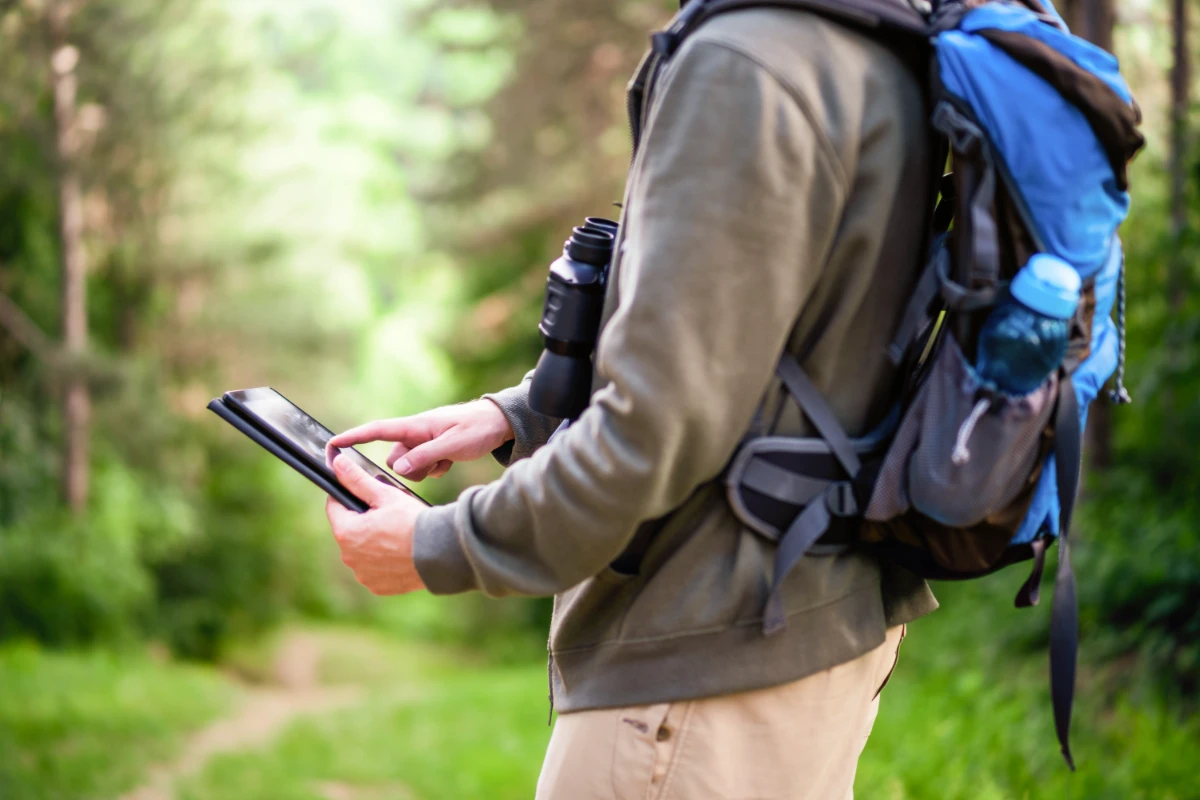
Quick Answer: Essential Overlanding Apps You Need
Navigation (pick 1-2):
- Gaia GPS (my primary, best for serious overlanding)
- onX Offroad (better trail database, easier interface)
- Google Maps offline (backup for paved roads)
Camping:
- iOverlander (free, community-sourced, works offline)
- The Dyrt (best for established campgrounds)
Weather:
- Windy (visualization is incredible)
- Weather Underground (hyperlocal forecasts)
Communication:
- Garmin Earthmate (pairs with inReach satellite communicator)
Utility:
- Avenza Maps (for specialty maps)
- CalTopo (trip planning on desktop, then export to phone)
What you don’t need: Every single app ever recommended in an overlanding Facebook group. I promise you don’t need 8 weather apps and 4 different navigation systems.
Why Apps Matter for Overlanding (And Why They Don’t Replace Maps)
Let me be clear upfront. Apps are tools, not replacements for skills and preparation.
I still carry paper maps for every region I visit. When my phone died in Utah (see above), I pulled out the Benchmark Road Atlas and a compass and navigated out just fine. Apps make life easier, but they fail. Batteries die, screens crack, phones overheat in summer or freeze in winter.
That said, apps give you capabilities that paper maps can’t match:
Offline GPS tracking shows exactly where you are on a trail, even without cell service. This is huge when you’re on unmarked BLM roads that all look the same.
Crowdsourced updates tell you if a road is washed out or a campsite is full before you drive there. Paper maps don’t tell you the bridge collapsed last month.
Weather radar helps you avoid getting caught in thunderstorms or planning around snow at elevation.
Emergency communication via satellite apps can literally save your life when you’re 50 miles from help.
But here’s the thing. None of this works if you haven’t downloaded maps before you lose signal, if your battery’s dead, or if you don’t know how to use the app. Apps require preparation just like everything else in overlanding.
For more on essential overlanding preparation, check out our beginner’s guide to starting overlanding.
Navigation Apps: The Foundation
Gaia GPS (My Primary Choice)
Cost: Free basic version, $40/year premium | Platform: iOS, Android, Web
I’ve used Gaia GPS for the past six years and it’s my default navigation app for overlanding. Not because it’s perfect (it’s not), but because once you learn its quirks, it’s incredibly powerful.
What makes it great: The map layers. You can overlay topographic maps, satellite imagery, public lands boundaries, historic USGS maps, and more. This layering helps you understand terrain and land ownership in ways a single map can’t show.
The offline download is solid. I download entire regions before trips (usually grabbing everything within 100 miles of my planned route) and the maps work perfectly without signal. The tracking feature records your route automatically, which is useful for retracing your path or sharing routes with friends.
What’s annoying: The interface takes time to learn. It’s not intuitive like Google Maps. You’ll spend your first few trips poking around menus trying to figure out how to do basic things. Also, the premium subscription is required for most useful features like additional map layers and unlimited waypoints.
Pro tip: Download maps on wifi before you leave home, not in a hotel parking lot on shaky LTE. A typical regional download is 2-3GB. Also, put your phone in airplane mode when using Gaia in the backcountry. It’ll stop searching for cell signal and your battery will last way longer.
Best for: Serious overlanders who want detailed maps and don’t mind a learning curve.
Learn More: Gaia GPS
onX Offroad
Cost: $30/year | Platform: iOS, Android
onX Offroad is what I recommend to people who find Gaia overwhelming. It’s built specifically for vehicle-based adventures and the interface is way more user-friendly.
What makes it great: The trail database is excellent. You can filter trails by difficulty rating, see recent condition reports from other users, and find dispersed camping areas marked by the community. The land ownership boundaries are super clear, which helps when you’re trying to figure out if you can legally camp somewhere.
I particularly like the “Elite” layer that shows curated trails with difficulty ratings and points of interest. It’s like having a local guide built into the app.
What’s annoying: The map rendering isn’t as detailed as Gaia for pure topographic info. If you need to read contour lines closely or want historic map layers, Gaia is better. Also, it’s vehicle-focused, so if you’re doing any hiking side trips, it’s less useful.
Pro tip: The community data is only as good as the contributors. In popular areas like Moab, it’s excellent. In remote Nevada? You might be on your own. Don’t rely solely on user reports for critical decisions.
Best for: Overlanders who want an easy-to-use app with good trail info and don’t need hardcore topographic details.
Learn More: onX Offroad
Google Maps Offline (The Backup)
Cost: Free | Platform: iOS, Android
Yeah, I know. Google Maps isn’t an “overlanding app.” But it’s stupid useful as a backup for navigating to trailheads, finding the last gas station before you head into the backcountry, and getting home when your fancy apps fail.
What makes it great: You already know how to use it. The interface is intuitive. And the offline download feature works well for paved roads and established dirt roads.
What’s annoying: It’s useless for actual backcountry navigation. It doesn’t show trails, topography, or public land boundaries. It’s purely for getting you to the starting point.
Pro tip: Download offline maps for the entire region before you go, not just your exact route. I’ve had to bail out on trails and take alternate routes more times than I can count. Having the full region downloaded means you can adapt.
Best for: Everyone as a backup. Always have it ready.
Maps.me (International Backup)
Cost: Free | Platform: iOS, Android
I only use Maps.me when I’m traveling internationally. It has excellent global coverage and works completely offline once you download the country maps.
For U.S. overlanding, Gaia or onX are way better. But if you’re heading to Baja, Central America, or anywhere outside the U.S., download Maps.me.
Pro tip: Download the maps while you still have decent wifi. Some country files are huge.
Learn More: Maps.me
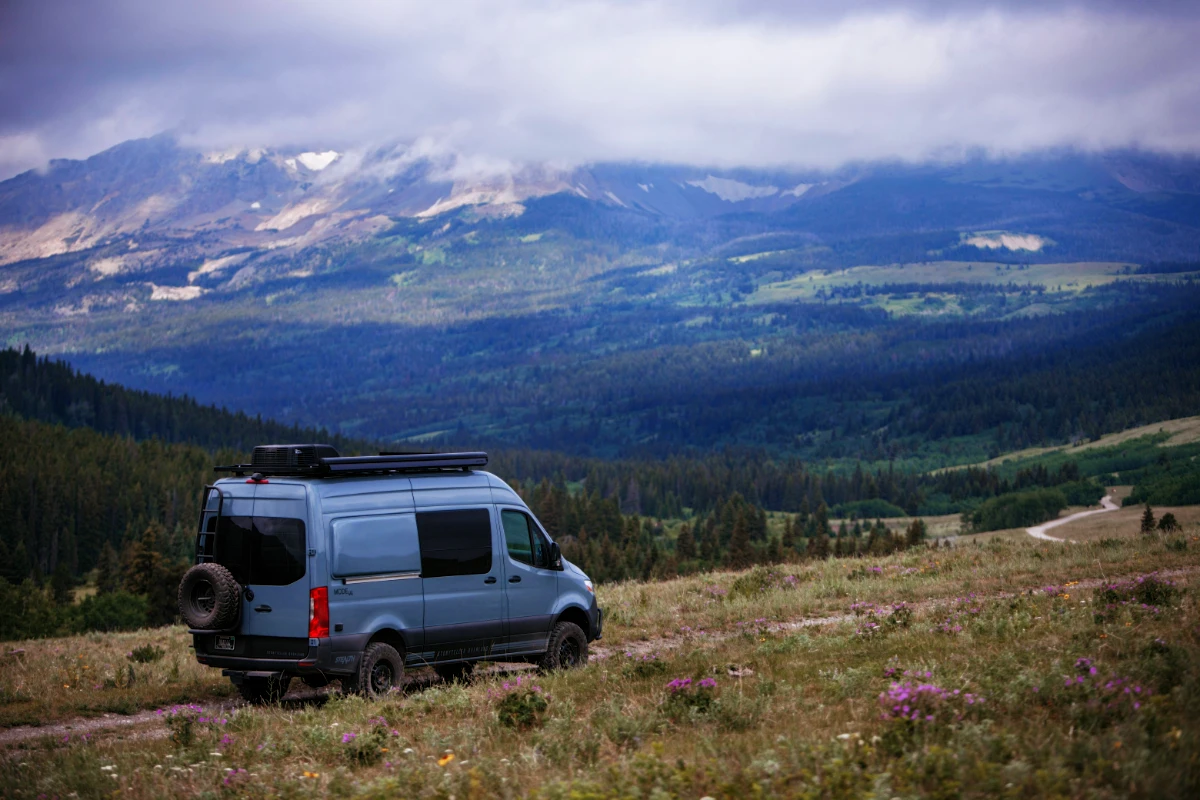
Camping Apps: Finding Places to Sleep
iOverlander
Cost: Free | Platform: iOS, Android
iOverlander is the first app I open when looking for camping spots. It’s completely free, works offline, and is crowdsourced by actual overlanders.
What makes it great: The community reports are gold. You get real information about campsites including photos, GPS coordinates, descriptions of access roads, and recent condition updates. It covers everything from established campgrounds to random pulloffs on BLM land.
The filtering is useful too. You can search by free vs paid, amenities, accessibility for large vehicles, and more.
What’s annoying: Data quality varies wildly. Popular areas have tons of recent reviews. Remote areas might have one report from 2018. You have to use judgment about how much to trust old information.
Also, some reports are contradictory. One person says “easy access, any vehicle” and the next person says “4WD required, rough road.” Welcome to overlanding, where everyone has different definitions of “easy.”
Pro tip: Sort by most recent reviews. Road conditions change. What was passable last year might be washed out this year. Also, contribute your own reports. The app only works if people add data.
Best for: Everyone. This is a must-have app.
Learn More: iOverlander
The Dyrt
Cost: Free basic, $36/year premium | Platform: iOS, Android
The Dyrt is better than iOverlander for established campgrounds. If you’re looking for developed sites with bathrooms, water, and defined spots, The Dyrt has the best database.
What makes it great: Comprehensive campground listings with photos, reviews, and direct reservation links. The filters help you narrow down what you need (hookups, showers, pet-friendly, etc.).
The premium version includes offline access and campground discounts that can pay for the subscription if you camp enough.
What’s annoying: It’s less useful for dispersed camping on public lands. That’s not really what it’s designed for. Stick with iOverlander for true backcountry camping.
Pro tip: If you’re planning a trip that mixes established campgrounds with dispersed camping, use both apps. The Dyrt for towns and popular areas, iOverlander for backcountry.
Best for: Overlanders who use established campgrounds regularly.
Learn More: The Dyrt
Campendium
Cost: Free basic, $30/year premium | Platform: iOS, Android, Web
Campendium sits somewhere between iOverlander and The Dyrt. It covers both established campgrounds and dispersed camping, with a focus on free and low-cost options.
What makes it great: The cell coverage information for each site is super useful if you need to check in with work or family. They also note if sites accommodate larger rigs, which matters if you’re towing a trailer.
What’s annoying: The interface isn’t as clean as The Dyrt. It feels cluttered. And in my experience, iOverlander has more crowdsourced dispersed camping spots.
Pro tip: Use the map view to find clusters of free camping options in an area, then cross-reference with iOverlander for more detailed reports.
Best for: Budget-conscious overlanders looking for free camping.
Learn More: Campendium
For tips on dispersed camping etiquette and Leave No Trace principles, see our camping essentials checklist.
Weather Apps: Don’t Get Caught in Storms
Windy
Cost: Free basic, premium features available | Platform: iOS, Android, Web
Windy is hands-down the best weather visualization app I’ve used. The animated maps showing wind, precipitation, temperature, and more are incredible for understanding weather systems.
What makes it great: You can see weather moving in real time. This is critical for avoiding thunderstorms in the afternoon (a daily occurrence in much of the mountain west during summer). The elevation-based forecasts help when you’re traveling from desert valleys to mountain passes.
Multiple forecast models (GFS, ECMWF, etc.) let you compare predictions. When models disagree, you know the weather is uncertain and should plan conservatively.
What’s annoying: The free version works great for most users, but some features require premium. Also, it needs data connection to work, so download screenshots or forecasts before you lose signal.
Pro tip: Check Windy the night before and morning of any travel day. Summer thunderstorms in the Rockies typically roll in 2-4pm. If Windy shows storms building, plan to be off exposed ridges or technical trails by early afternoon.
Best for: Everyone. Download it now.
Learn More: Windy
Weather Underground
Cost: Free | Platform: iOS, Android
Weather Underground pulls data from a huge network of personal weather stations, giving you hyperlocal forecasts that are often more accurate than government weather services.
What makes it great: If there’s a weather station near your destination, you’ll get incredibly accurate forecasts. The hourly breakdown helps you plan around rain or temperature swings.
What’s annoying: Coverage is spotty in remote areas where there aren’t personal weather stations. And the app has gotten cluttered with ads over the years.
Pro tip: Check Weather Underground for specific locations (trailheads, towns near your camping areas) and Windy for broader weather patterns. Together they give you the full picture.
Best for: Detail-oriented planners who want hyperlocal data.
Learn More: Weather Underground
NOAA Weather Alerts
Cost: Free | Platform: iOS, Android
The official NOAA app pushes severe weather alerts to your phone. Flash flood warnings, thunderstorm warnings, winter storm warnings, all delivered automatically.
What makes it great: It’s official government data and it could save your life. Flash flood warnings in canyon country are no joke. This app has warned me about storms I wouldn’t have known about otherwise.
What’s annoying: It requires cell service for alerts, so it’s useless in the backcountry. But it’s perfect for when you’re in towns between trail segments.
Pro tip: Set alerts for the counties you’ll be traveling through, not just where you are now. Weather moves.
Best for: Everyone as a safety backup.
Learn More: NOAA Weather
For more on weather safety and flash flood awareness, check our guides on Utah overlanding and Nevada overlanding where summer storms are serious business.
Communication Apps: Staying Connected When There’s No Signal
I’ve recently start carrying a Starlink Mini as part of my overlanding kit. You can read more about it in my Starlink Mini Review. But apps are still apps. Read on.
Garmin Earthmate (Pairs with inReach)
Cost: Free app, requires inReach device ($300-450) + subscription ($15-65/month) | Platform: iOS, Android
If you have a Garmin inReach satellite communicator (and you should for remote trips), the Earthmate app makes it way more useful.
What makes it great: You can compose longer text messages on your phone instead of typing on the tiny inReach screen. The app also shows your location on maps, lets you request weather forecasts, and manages your waypoints.
The two-way satellite messaging means family can reach you in an emergency, and you can call for help via the SOS button if things go really wrong.
What’s annoying: The subscription cost adds up ($180-780/year depending on plan). But this is life insurance for solo overlanding in remote areas, so I don’t complain too much.
Pro tip: The “Safety” plan ($15/month) is enough for most overlanders. You get 10 messages per month and unlimited SOS. Upgrade to higher plans if you need more messaging or tracking.
Best for: Anyone doing solo trips or traveling in truly remote areas like Nevada, Wyoming, or Utah backcountry.
Learn More: Garmin Earthmate
I cover satellite communicators in depth in our essential overlanding gear guide.
What About Group Coordination Apps?
For group trips where multiple vehicles are traveling together, a satellite communicator with tracking (like inReach) works better than any app. You can share your location with the group and everyone can see where each vehicle is.
Two-way radios are still king for real-time group communication on the trail. Apps require cell service or satellite data, which gets expensive fast.
Trip Planning Apps: Desktop Work Before You Leave
CalTopo
Cost: Free basic, $30/year premium | Platform: Web (desktop), mobile app for viewing
CalTopo is what I use for desktop trip planning. The mobile app is just for viewing what you created on desktop, not for primary navigation (use Gaia or onX for that).
What makes it great: The desktop interface gives you powerful tools for measuring distances, analyzing elevation profiles, creating custom map overlays, and printing physical maps as backups.
You can export your CalTopo routes to Gaia GPS, which is a killer workflow. Plan on the big screen at home, then have everything ready on your phone.
What’s annoying: The learning curve is steep. There are tons of features and it takes time to figure out what’s useful vs what’s just noise.
Pro tip: Create a free account and spend an evening learning the basics before your next big trip. The time invested pays off.
Best for: Serious trip planners who want desktop tools.
Learn More: CalTopo
Google Earth (Virtual Scouting)
Cost: Free | Platform: Desktop, mobile
Google Earth is incredible for virtually driving routes before you commit. The 3D terrain view shows you what climbs and descents look like, historical imagery shows seasonal conditions, and Street View (where available) lets you see actual road surfaces and obstacles.
What makes it great: It’s free and you already have it. The 3D view is genuinely useful for understanding terrain that’s hard to visualize from flat maps.
What’s annoying: Coverage is limited in backcountry areas. Street View exists on main highways but not on BLM roads.
Pro tip: Use the historical imagery slider to see what areas look like in different seasons. Snow coverage, vegetation, water levels all change. This helps you plan the best time to visit.
Best for: Pre-trip research and route scouting.
Learn More: Google Earth
Utility Apps: Solving Specific Problems
Avenza Maps
Cost: Free for 3 maps, $25/year unlimited | Platform: iOS, Android
Avenza lets you import georeferenced PDF maps from any source and use them with GPS tracking. This is huge for specialized maps like BLM motor vehicle use maps, National Forest maps, or custom maps you create.
What makes it great: You can use maps that aren’t available in other apps. Government agencies publish tons of free maps as PDFs. Load them into Avenza and suddenly you have GPS tracking on specialized maps.
What’s annoying: Finding good georeferenced maps takes work. Not all PDF maps have GPS data embedded. You need to specifically look for “georeferenced PDFs.”
Pro tip: Check BLM and Forest Service websites for free downloadable georeferenced maps of areas you’ll be visiting. Load them into Avenza before you go.
Best for: Map nerds who want to use specialized maps.
Learn More: Avenza Maps
SpotWx (Point-Specific Weather)
Cost: Free | Platform: Web
SpotWx isn’t really an app (it’s a mobile-friendly website), but it’s too useful not to mention. It gives you point-specific weather forecasts for exact GPS coordinates, which is perfect for remote campsites or mountain passes.
What makes it great: Enter your exact coordinates and get detailed hourly forecasts. It compares multiple forecast models side by side so you can see if they agree or disagree.
What’s annoying: No native app, so you need cell service or need to screenshot forecasts for offline reference.
Pro tip: Before heading into the backcountry, get coordinates for your planned campsites and key locations. Pull SpotWx forecasts for each and screenshot them. Now you have detailed forecasts offline.
Best for: Detailed weather planning for specific locations.
Learn More: SpotWx
Apps I Deleted (And Why You Don’t Need Them)
Too Many Weather Apps
I used to have Weather Underground, Windy, Dark Sky (RIP), Weather Channel, NOAA, and three others. It was ridiculous. Pick two. Windy for visualization, Weather Underground or NOAA for detailed local forecasts. Done.
Backcountry Navigator
I wanted to like Backcountry Navigator for its group coordination features, but in practice it was buggy and the interface was clunky. onX Offroad does everything I needed from it, better.
Multiple Social/Community Apps
There are a dozen apps for logging trails, sharing photos, and connecting with other overlanders. They’re all trying to be the “Instagram for overlanding.” I deleted them all. iOverlander gives me the community data I need without the social media noise.
App Strategy: What to Actually Download
Here’s what I recommend for different types of overlanders:
Beginner Setup (Minimal):
- Gaia GPS or onX Offroad (pick one)
- Google Maps offline (backup)
- iOverlander (camping)
- Windy (weather)
- Weather alerts (NOAA or similar)
Intermediate Setup (Most People):
- Gaia GPS (navigation)
- Google Maps offline (backup)
- iOverlander (camping)
- The Dyrt (established campgrounds)
- Windy (weather)
- Weather Underground (detailed forecasts)
- Garmin Earthmate (if you have inReach)
Advanced Setup (Serious Trips):
- Everything from Intermediate plus:
- CalTopo (trip planning)
- Avenza Maps (specialty maps)
- onX Offroad (second navigation option)
- SpotWx (detailed weather)
Don’t download everything. More apps means more battery drain, more confusion, and more crap to manage. Start simple and add apps only when you have a specific need.
Managing Battery Life: Apps Don’t Matter If Your Phone’s Dead
Remember my story about my phone dying at 11%? Here’s what I learned.
Put your phone in airplane mode when using navigation apps in the backcountry. Your phone will stop searching for cell signal constantly, which saves massive battery. GPS still works in airplane mode.
Close background apps you’re not using. Every app running in the background is draining battery.
Reduce screen brightness. You don’t need full brightness during the day. I run at 30-40% and can still see the screen fine.
Carry power banks. I bring two Anker 20,000mAh power banks on every trip. That’s enough to fully charge my phone 4-5 times. Keep one in the cab, one in your gear as backup.
Use a 12V USB adapter in your truck. Charge your phone while driving. I use a dual-port fast charger so I can charge phone and tablet simultaneously.
Don’t rely on solar phone chargers. They work in theory but in practice they’re slow and unreliable. Power banks are way better.
Anker PowerCore 20000mAh Power Bank • Anker 2-Port Fast Car Charger
Get a good phone mount so you can see navigation without holding your phone. Bonus: keeps your phone out of the sun and dust.
Learn More: RAM X-Grip Phone Mount
For complete power management strategies, see our best overlanding gear guide which covers dual battery systems and solar setups.
The Paper Map Backup: Non-Negotiable
I don’t care how good your apps are. Carry paper maps.
I use the Benchmark Road & Recreation Atlas for every state I visit. They show forest roads, BLM lands, campgrounds, and topography. When my phone died in Utah, this atlas got me out.
Also carry a compass and know how to use it. Basic land navigation is a skill that takes an afternoon to learn and could save your life.
My map kit:
- Benchmark Atlas for the state(s) I’m visiting
- BLM Surface Management maps (free downloads, printed at home)
- National Forest Motor Vehicle Use Maps for areas I’ll be in
- Compass (Silva or Suunto, $20-30)
- Waterproof map case
Learn More: Benchmark Utah Road & Recreation Atlas
Learn More: Silva Ranger Compass
Paper maps don’t run out of battery. They don’t crack when dropped. They work in any weather. They’re insurance.
App Comparison: Which One is Actually Best?
| App | Cost | Offline? | Best Feature | Main Weakness | My Rating |
|---|---|---|---|---|---|
| Gaia GPS | $40/yr | Yes | Map layers & detail | Learning curve | 9/10 |
| onX Offroad | $30/yr | Yes | Trail database | Less topo detail | 8/10 |
| iOverlander | Free | Yes | Community camping data | Data quality varies | 9/10 |
| The Dyrt | Free/$36 | Yes (premium) | Campground database | Not for dispersed | 7/10 |
| Windy | Free | No* | Weather visualization | Needs connection | 9/10 |
| Garmin Earthmate | Free | No | Satellite messaging | Requires inReach device | 8/10 |
| Google Maps | Free | Yes | Familiar interface | No trail data | 7/10 |
| Avenza | Free/25 | Yes | Custom maps | Finding good maps | 7/10 |
*Can screenshot forecasts for offline reference
Frequently Asked Questions
Q: Do I need cell service for these apps to work?
No, but you need to download maps while you have service. All the navigation apps (Gaia, onX, Google Maps) work completely offline once you’ve downloaded the region. Camping apps like iOverlander also work offline. Weather apps need connection to refresh forecasts, but you can screenshot predictions before you lose signal.
Q: Which navigation app is best, Gaia GPS or onX Offroad?
Gaia GPS if you want detailed topographic data and don’t mind a learning curve. onX Offroad if you want user-friendly interface and excellent trail information. I use Gaia as my primary and onX as my backup. They both have strengths.
Q: How much phone storage do I need for offline maps?
A lot. A single state region in Gaia GPS can be 2-3GB. If you’re downloading multiple states or detailed satellite imagery, you could easily use 10-20GB. I have a 256GB phone specifically because of offline maps. Don’t try this with a 64GB phone.
Q: Will my phone overheat running GPS all day?
Potentially, especially in summer. Keep your phone out of direct sun, use a well-ventilated mount, and don’t leave it on the dashboard. I’ve had phones overheat and shut down in Arizona summer. Now I keep mine near the AC vent.
Q: Can I use an iPad or tablet instead of a phone?
Absolutely. Bigger screen is nice for navigation. Just make sure it has GPS capability (not all iPads do – you need cellular models even if you don’t activate cellular service). The GPS chip only comes in cellular-capable models.
Q: Should I pay for premium app subscriptions?
For Gaia GPS or onX Offroad? Yes, if you overland regularly. The premium features (additional map layers, unlimited waypoints, offline access) are worth $30-40/year. For camping apps like The Dyrt? Only if you camp in established campgrounds frequently. The free versions work fine for occasional use.
Q: What if I don’t have a smartphone?
You can still overland just fine with paper maps and a compass. People did it for decades before smartphones existed. But you’ll miss out on real-time GPS tracking, community updates on campsites and road conditions, and weather forecasts. Consider getting an older used smartphone ($100-200) just for offline maps and GPS.
Q: How do I learn to use these apps before my trip?
Practice locally first. Download maps of your area, drive familiar roads, and figure out how to record tracks, create waypoints, and switch map layers. Don’t learn navigation apps for the first time when you’re lost in the backcountry. Spend a few weekends getting comfortable with the interface.
Download Before You Go: Pre-Trip Checklist
Here’s my routine before every trip:
1-2 weeks before:
- Download region maps in Gaia and/or onX
- Mark potential campsites from iOverlander as waypoints
- Create route in CalTopo if doing complex trip
- Download offline Google Maps for the region
Night before departure:
- Check weather in Windy and Weather Underground
- Screenshot detailed forecasts from SpotWx
- Update all apps to latest versions
- Charge phone and power banks to 100%
- Test that all downloaded maps load properly offline (put phone in airplane mode and verify)
Morning of:
- Final weather check
- Load phone mount in truck
- Plug in car charger
- Put power bank in easy-reach spot
This routine takes 30 minutes total spread over a few days. But it means when you lose signal, everything still works.
Final Thoughts: Apps Are Tools, Not Magic
Apps make overlanding easier, safer, and more enjoyable. But they’re just tools. They don’t replace preparation, skills, or good judgment.
Download the apps you need (not all of them). Learn how to use them properly. Download maps before you lose signal. Carry power banks and paper map backups. And remember that the best moments of overlanding happen when you look up from your screen and just experience where you are.
What apps do you use for overlanding? Any I missed or ones you think are overrated? Drop me a line.
Ready to plan your next trip? Check out our destination guides for: